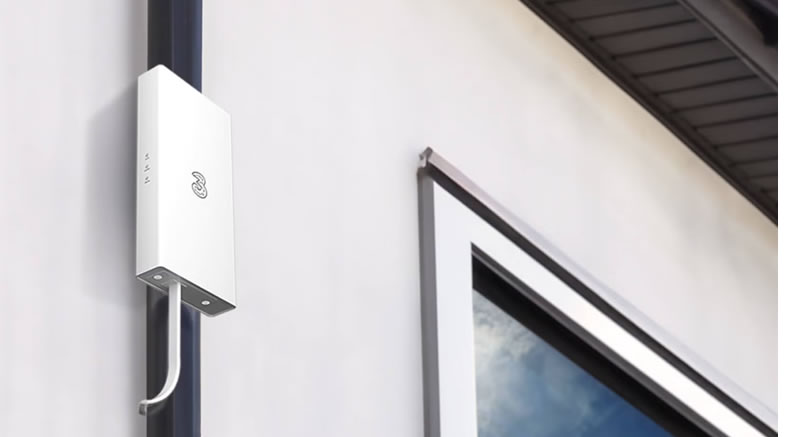
Whether because of physical obstacles, certain building materials, or simply your home’s distance from the nearest mast, you might find that getting a 5G signal is an issue, but that’s where an external antenna can come in.
You can connect one of these to a 5G router, and it will help the device latch on to weak signals – and sometimes they can even pick up a signal when your phone isn’t displaying one at all.
That means you can potentially bring 5G broadband to your home even if you don’t typically get a signal in your house – while if the signal is usually weak, strengthening it with an antenna can lead to improved speeds and reliability.
However, not all 5G routers support external antennas, so below, we’ve detailed those available from UK networks that do.
Note however that while the information below was correct to the best of our knowledge at the time of writing, networks sometimes change their router hardware, and don’t always even update the name in the process. So it’s always worth checking the official specs pages or contacting the network to confirm.
Vodafone 5G Hub
The Vodafone 5G Hub is what you’ll typically be sent if you order 5G broadband from Vodafone – the exception being if you request an Outdoor Hub, which we’ve detailed further down.
At the time of writing, the Vodafone 5G Hub is a rebranded Greenpacket E5-250MA, and this includes four SMA antenna ports.
It also has two Ethernet ports, and the hardware supports download speeds of up to 3Gbps and upload speeds of up to 250Mbps – though Vodafone’s plans impose lower speed caps than these at the time of writing, with downloads topping out at 150Mbps. That though is still very speedy, and faster than many fibre broadband connections.
Three 5G Ready Hub
The Three 5G Ready Hub at the time of writing is also a Greenpacket E5-250MA – so in other words exactly the same underlying device as the Vodafone 5G Hub.
As such its specs are identical, including four SMA antenna ports, two Ethernet ports, and download speeds of up to 3Gbps — though plans may limit you to less, and even without speed caps, the UK’s networks currently top out more at around the 1Gbps level.
Note however that this is a different device to the Three 5G Hub, which is also available from Three and doesn’t have external antenna ports. Despite its name, the Three 5G Ready Hub is what you’ll be offered with 4G broadband from Three.
National Broadband 5G Router
National Broadband isn’t a mobile network in itself, instead, if you buy home broadband from it, you’ll get a router paired with coverage from whichever network is best in your area.
And the router in question is a rebranded TP-Link NX200, which includes two SMA antenna ports.
It also has Ethernet ports, and the hardware supports peak speeds of 4.67Gbps – though National Broadband advertises speeds of a more realistic 100-210Mbps+.
Outdoor hubs
If you’re reading this article then you might also want to consider the Three 5G Outdoor Hub or the Vodafone 5G Outdoor Hub, as while they don’t technically have external antenna ports, they’re designed to be installed outside your property, giving them the best possible chance of hooking on to a 5G signal.
So if you know you struggle to get a 5G signal at home (or don’t get one at all), then one of these could be a better option than a standard 5G home broadband router.